Design your workspace according to ergonomic principles.

What are some of the causes of work-related physical illnesses?
- Sitting for long periods of time.
- Sitting in an incorrect posture for extended periods of time.
- Using the body for strenuous work continuously for long periods of time.
- An unsuitable chair can lead to incorrect sitting posture.
- An ergonomically unbalanced work desk.
Ergonomics is a principle developed to study and improve working conditions that relate to the worker and their work environment. It considers how the workplace is designed or improved to suit the worker's behavior, ensuring its suitability and preventing safety hazards or negative impacts on physical and mental health. Furthermore, it helps enhance employee productivity and efficiency. In addition, ergonomics is applied in the design of products such as tools, equipment, and systems to optimize user experience and minimize negative health effects. While many may consider it a distant concept, ergonomics is actually integrated into our daily lives almost 24/7.
Therefore, ergonomics...
Therefore, it is about applying principles from biology, psychology, anatomy, and physiology to eliminate factors that may cause employees discomfort, pain, or poor physical and mental health.
Due to working in specific environments, ergonomic principles are applied to correct or prevent the design of workspaces, office furniture, or work equipment that is unsuitable for employee behavior.
Ergonomics and the proper sitting posture according to ergonomic principles (Ergonomic Chair)
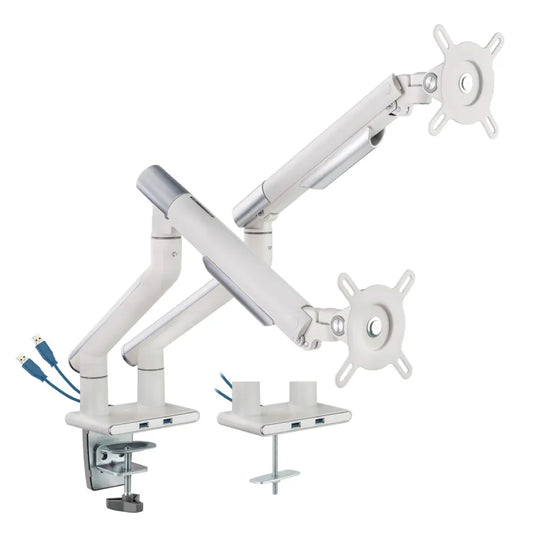
1. The screen should be about one arm's length away from your body.
The top edge of the screen should be at eye level.
2. Keep your head straight or slightly bent at an angle of 10-15 degrees, with your eyes parallel to the ground.
3. The neck should be at eye level, not tilted or bent to one side.
4. Position your back against the backrest, leaning slightly back 120 degrees. Keep your body straight; do not arch or bend forward.
5. Your buttocks should be pressed against the right-angled area of the backrest. Distribute your weight evenly on your left and right gluteal muscles.
6. Keep your elbows close to your body or resting on the armrests at a 90-degree angle. Your wrists and elbows should be in a straight line.
7. Your thighs should be flat on the seat and close to the seat cushion.
8. Knees should be firmly pressed against the seat cushion at a 90-degree angle.
9. Place your feet flat on the ground, with the entire sole of your foot flat on the ground.

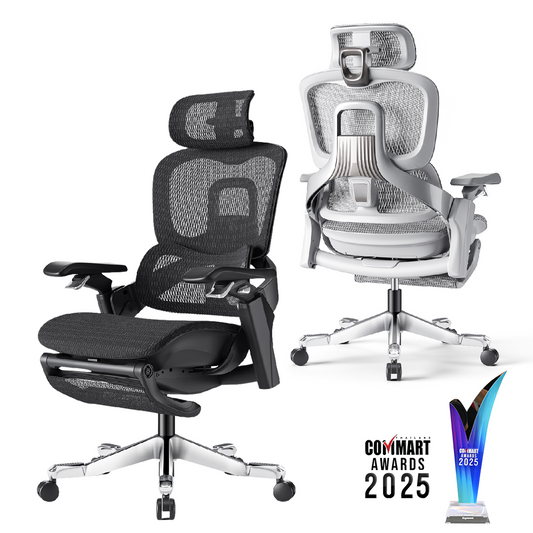
Specifications and characteristics of ergonomic office chairs.
1. The backrest has a contoured shape to support the lower back, ensuring a snug fit against the chair, and the tilt angle can be adjusted and locked in place.
2. Adjustable headrest height.
3. Adjustable headrest angle.
4. The neck support is made of breathable mesh, which does not trap dust and is easy to clean.
5. Adjustable backrest tilt tension.
6. The armrests are adjustable inward and outward (Arm-pad inward & outward adjustment) and also have adjustable height (Armrest height adjustment).
7. Seat depth adjustment: The seat can be adjusted forward and backward.
8. The seat height can be adjusted forward and backward.

In addition to arranging your workspace and chair according to ergonomic principles, self-care is also important.
1. Sitting for long periods of time can lead to muscle fatigue and subsequent injuries. You should take a break every hour for about 10 minutes.
2. Get up and walk around often; don't stay in one place for too long.
3. Stretching, such as neck exercises, shoulder rotations, or twisting, can help.
4. Take breaks from the computer screen. Prolonged computer use can strain your eyes. Try closing your eyes for 5 minutes or moving your eyes in a circle.
5. Choose a desk that allows you to stand upright so you can change your posture while working.